
The Game-Changer Property Managers Can't Ignore:
Automatic Bank Reconciliation with Native ERP Integration
Bank reconciliation. Just reading those two words probably made you think about late nights during month-end close, endless spreadsheets, and the sinking feeling when the numbers don't match. For property management companies juggling hundreds of bank accounts across multiple entities, reconciliation isn't just tedious; it's a financial risk that can cost your organization thousands in errors, compliance issues, and wasted staff time.
However, here's the thing: in 2025, manual bank reconciliation is akin to using a typewriter in the age of AI. The technology exists to automate this entire process, but there's a critical distinction that most property managers miss, and it's costing them dearly.

The $15,000 Question: Why Native Integration Matters
Not all bank reconciliation automation is created equal. You might have heard about various fintech solutions or generic accounting tools that promise to automate reconciliation. Some of them work reasonably well if you're a small business with straightforward transactions.
But property management? That's an entirely different beast.
Property managers deal with CAM reconciliations, escrow management, multi-entity rent collections, partial tenant payments, split transactions, recurring vendor contracts, trust accounting compliance, and multi-currency transactions. Generic solutions often fail to understand these nuances. They're like trying to fit a square peg in a round hole.
This is where native integration with property management ERPs becomes not just important, it's essential.
When your bank reconciliation system has native connectivity to Yardi Voyager, MRI Software, or other major property management platforms, it not only matches transactions but also ensures seamless integration. It understands your business. It speaks your language. And most importantly, it eliminates the double-entry problem that plagues properties using generic solutions.

The Real Cost of Manual Reconciliation
Before we dive into how modern automatic bank reconciliation works, let's review the basics. The average annual cost of reconciliation errors for property management companies is approximately $15,000. That's just the direct cost—it doesn't include:
- 40-60 hours of staff time consumed during the month-end close
- Delayed financial reporting impacting investment decisions
- Compliance risks and potential audit penalties
- Team burnout and high turnover in accounting departments
One property management firm, managing over 500 properties, reported that its finance team was spending nearly three full business days every month solely on bank reconciliation. That's 15% of their productive time dedicated to a process that modern technology can handle in minutes.
How Native ERP Integration Transforms Bank Reconciliation
Let's break down exactly what makes native integration so powerful. When your bank reconciliation platform connects directly to your property management ERP, magic happens:
1. Real-Time Bidirectional Data Synchronization
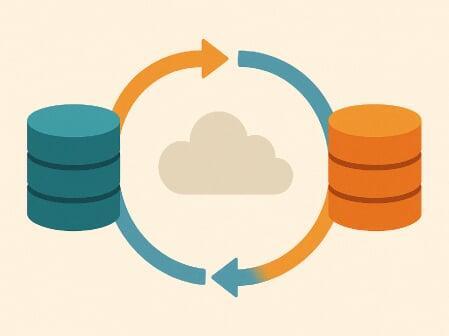
This is the foundation of everything. With native integration, every transaction, receipt, journal entry, and payment created or reconciled in your reconciliation platform is reflected immediately in your ERP system and vice versa.
Why it matters: This eliminates double entry, reduces reconciliation errors, and ensures your ERP is always your source of truth. Your finance team isn't jumping between systems, and compliance across systems happens automatically.
Real-world impact: A mid-sized property manager reduced their monthly reconciliation errors by 89% within the first three months of implementing native ERP integration.

2. Intelligent Transaction Matching That Understands Property Management
Generic reconciliation tools use simple matching algorithms same amount, same date, done. But property management transactions are rarely that simple.
Modern bank reconciliation platforms with native ERP integration utilize machine learning algorithms that are explicitly trained on real estate transaction patterns. They understand:
- Multi-entity structures: Automatically reconciling transactions across multiple legal entities from a centralized dashboard
- Complex payment scenarios: One bank transaction (like a bulk payment) reconciled against multiple ERP records (like multiple tenant charges)
- Property-level granularity: Matching transactions at the property level across multiple bank accounts
- Partial payments and split transactions: Tenant payments that don't match the invoice amount perfectly
- Recurring patterns: Vendor maintenance contracts and service agreements with predictable patterns
When automatic matching isn't possible, sophisticated systems provide confidence scores and suggested matches, enabling efficient human review only when necessary.
3. Seamless Bank Connectivity Across Multiple Institutions
Here's a pain point every multi-property manager knows: dealing with different banks, each with their own data formats, security requirements, and reporting schedules.
Leading bank reconciliation platforms offer comprehensive connectivity through:
- Direct API connections with major banks (Wells Fargo, TD Bank, RBC, Signature Bank)
- Standardized format support for BAI, BPAY, CSV, and Excel files
- Automated import capabilities, whether your bank provides daily or weekly data
- Open banking integrations through platforms like Plaid, Yodlee, and Basiq (for Australian properties)
- Real-time transaction feeds with enterprise-grade security
This means you're not manually downloading statements from five different banking portals every morning. The system pulls everything automatically and securely.


4. Visual Reconciliation That Actually Makes Sense
Traditional reconciliation involves toggling between your bank statement window and your ERP window, trying to remember what you were looking for. Modern platforms change this entirely.
Unified view architecture allows you to see ERP transactions and bank statement entries side-by-side on the same screen. Color-coded visual cues indicate reconciliation status instantly:
- Green for matched transactions
- Red for unmatched entries
- Yellow for differences requiring attention
This user-friendly design makes reviewing thousands of transactions effortless and error-free, dramatically reducing the training time for new finance team members and increasing productivity across the board.
5. Simplified, Modern User Interface
Let's be honest, most property management ERPs weren't designed with user experience as the top priority. They're powerful, comprehensive, and... complex.
The best bank reconciliation platforms feature modern, responsive, minimalistic interfaces designed specifically for finance professionals. These systems guide users step-by-step through the reconciliation process with:
- Intuitive navigation that doesn't require extensive training
- Clear workflows that reduce cognitive load
- Responsive design that works on desktop or tablet
- Contextual help and tooltips when needed
Why this matters: Reduced training time (from days to hours), decreased errors from confusion, and higher team satisfaction.

The 23 Must-Have Features in Modern Bank Reconciliation Platforms
Not all automatic bank reconciliation systems are built equal. Based on implementations across hundreds of properties, here are the critical features that separate enterprise-grade solutions from basic tools:
Core Reconciliation Capabilities
1. Native ERP Data Synchronization
Real-time bidirectional sync between your reconciliation platform and property management ERP ensures single source of truth across systems.
2. Multi-Format Bank Statement Processing
Support for standardized formats (BAI, BPAY) plus flexibility for CSV and Excel imports from any financial institution globally.
3. Unified Transaction View
Side-by-side comparison of bank entries and ERP transactions with color-coded status indicators for instant visibility.
4. Visual Status Indicators
Color-coded tiles showing matched, unmatched, and difference transactions for effortless high-volume review.
5. Intuitive User Interface
6. One-Click Data Refresh
Real-time synchronization button pulls the latest data from both ERP and bank systems instantly.
Core Reconciliation Capabilities
7. Transaction Lock Management
Lock specific entities during active reconciliation, preventing
modifications and eliminating duplication risks.
8. Intelligent Auto-Matching by Occupant
Smart matching engine leveraging occupant IDs to automatically align
tenant-level deposits, especially powerful for high-volume properties.
9. Suggested Matches with Confidence Scoring
When auto-match isn't perfect, the system suggests probable matches
with confidence ratings for efficient validation.
10. Complex One-to-Many Matching
Reconcile single bank transactions against multiple ERP records
(or vice versa) for bulk payments and complex invoicing scenarios.
Multi-Entity & Enterprise Features
11. Centralized Multi-Entity Dashboard
Manage bank reconciliation across multiple companies, business units, or legal entities from one consolidated interface essential for corporate real estate portfolios.
12. Real-Time Journal Entry Creation
Create journal entries with job cost allocations directly from the reconciliation interface, ensuring accurate cost accounting and project-level tracking.
13. Automated Receipt Generation
Real-time creation of receipts for commercial tenants, corporate accounts, and one-off customers capturing revenue without leakage.
14. Flexible Batch Posting
Post transactions into open or closed accounting batches based on organizational workflow and audit requirements.
15. Direct Payment Processing
Workflow & Collaboration
16. Soft Reconciliation with
Suspense Accounts
Tag unclear or unmatched transactions as "suspense" with comments and notes, then collaboratively resolve while maintaining
17. Collaborative Engagement Hub
Tag colleagues, add comments, track notes,
18. Post-Reconciliation ERP Sync
Once reconciliation completes, push
Reporting & Analytics
19. Comprehensive Reconciliation Reports
Generate detailed, downloadable reports summarizing matched, unmatched, and suspense transactions, compliance-ready for auditors and finance teams.
20. Unmatched Transaction Exports
System Integration & Automation
21. Daily Master Data
Synchronization
Automated overnight pulls of updated
master data (tenants, properties, GL codes,
banks) from ERP, reducing reconciliation
issues from outdated information.
22. Open Banking API Integration
Leverage secure open banking APIs
23. Bank Reconciliation Module
Locking in ERP
When reconciliation initiates, it